This guide will walk you step by step through creating an API token on the Dashen API Gateway and correctly integrating the Gemini model into NOFX for fast and stable usage.

👉 API Gateway URL:
https://api.dashen.wang/
👉 Pricing:
💰 Gemini Group Pricing (Usage-Based Billing)
| Group Name | Billing Type | Prompt Price (Input) | Completion Price (Output) |
|---|---|---|---|
| Premium Gemini Group | Usage-based | ¥0.4440 / 1M tokens | ¥2.6640 / 1M tokens |
| Official Gemini Group | Usage-based | ¥1.3320 / 1M tokens | ¥7.9920 / 1M tokens |
📌 Notes
- Prompt Price: Token cost for input (prompt)
- Completion Price: Token cost for model output
-
Premium Gemini Group:
- Lower cost
- High cost-performance, ideal for high-frequency usage and NOFX scenarios
-
Official Gemini Group:
- Official routing
- Higher stability, but significantly more expensive
1. Creating an API Token on Dashen API Gateway
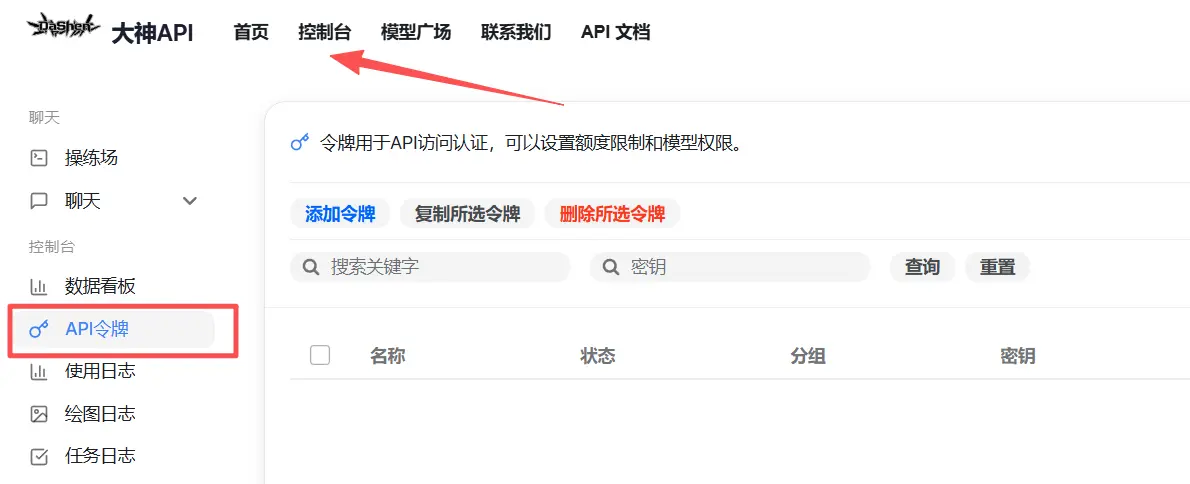
✅ Step 1: Enter the Console and Open the API Token Page
- Log in to the Dashen API Gateway
- Click Console
- Select API Tokens from the left sidebar
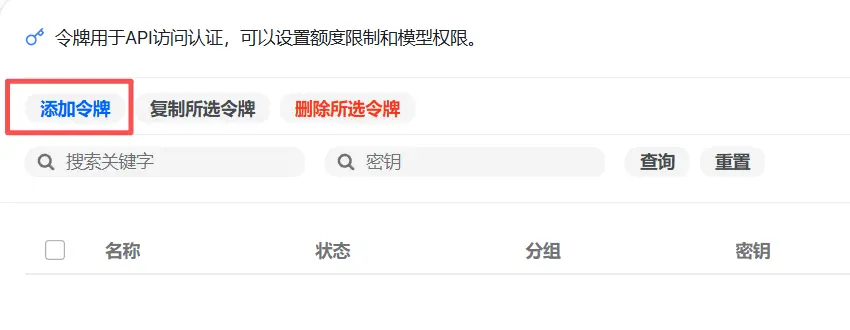
✅ Step 2: Add a New Token
Click the “Add Token” button to start creating a new API key.
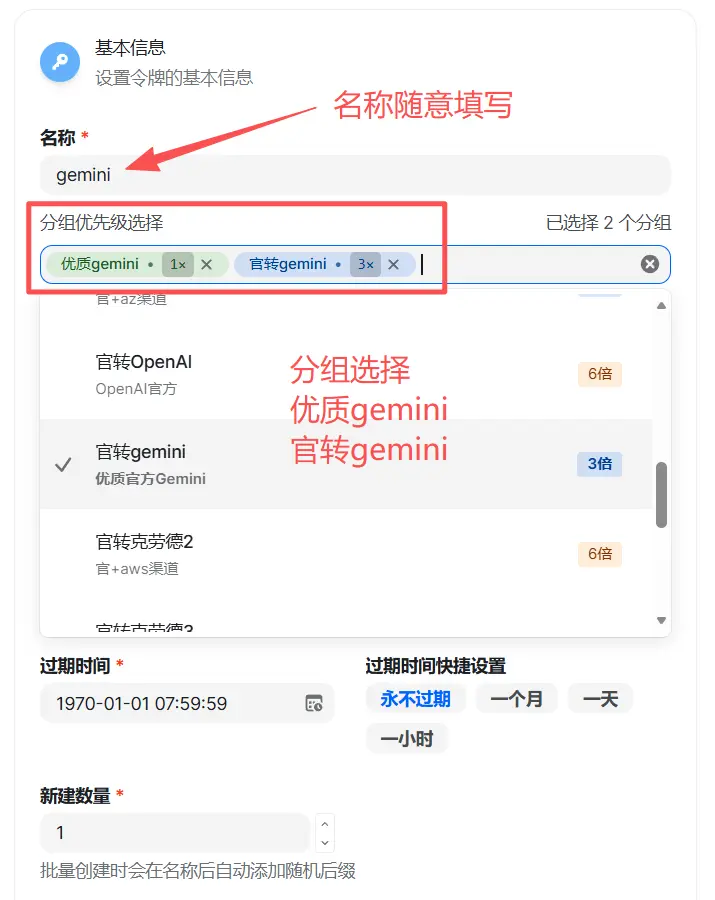
✅ Step 3: Fill in Basic API Information (Important)
On the creation page, fill in the fields as follows:
-
API Name
Any name is acceptable; use something easy to identify
👉 Example:gemini -
Group Priority (Very Important)
Make sure to select both:- ✅ Premium Gemini
- ✅ Official Gemini
This ensures model availability and stability.
✅ Step 4: Copy Your API Key
After the token is created, immediately copy and securely save your API key, as it will be needed in NOFX.
⚠️ Note: The key is shown only once. Please store it safely.

2. Configuring the Interface in NOFX
Next, proceed to the NOFX settings.
🔧 Integration Method
It is strongly recommended to use the OpenAI-compatible API format, which offers the best compatibility and stability.
✅ NOFX API Configuration Example
Fill in the fields exactly as shown below:
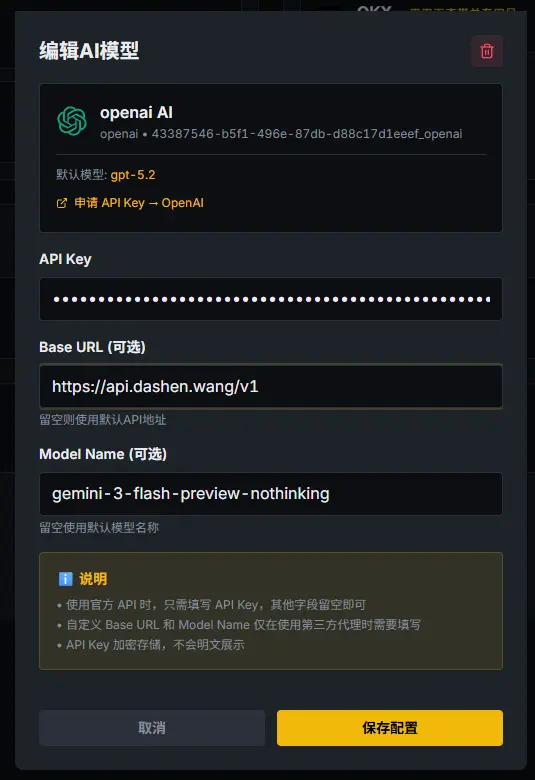
Parameter Details:
-
Base URL
https://api.dashen.wang/v1 -
API Key
👉 Paste the API key you copied from Dashen API Gateway -
Model Name (Very Important)
Recommended value:
gemini-3-flash-preview-nothinking
🧠 Model Selection Notes (Recommended Reading)
-
gemini-3-flash-preview-nothinking- ❌ No reasoning process
- ⚡ Extremely fast response
- ✅ Highly recommended for NOFX and other real-time scenarios
-
gemini-3-flash-preview-thinking- ✅ Includes reasoning
- 🐢 Slower response time
- Suitable for scenarios requiring higher reasoning quality
👉 Since NOFX prioritizes real-time responsiveness, the nothinking version is recommended
🎉 Setup Complete
You have successfully completed:
- ✔ Creating an API token on Dashen API Gateway
- ✔ Selecting the correct Gemini model
- ✔ Integrating NOFX using the OpenAI-compatible API format